NPS Corporate Employees Registration - Employer Scheme aur Tax Saving Guide | JobGati
Private sector corporate employees ke liye NPS (National Pension System) registration ka latest process - employer 14% contribution (Sec 80CCD 2), salary deduction, PRAN generation aur tax saving ka poora guide.
NPS Corporate Employees Registration - Employer Scheme aur Tax Saving Guide | JobGati
Kya aap ek private sector company mein kaam karte hain aur aapke HR ne aapko NPS Corporate Sector Model offer kiya hai? Ye government employees jaisa hi Tier I structure hai, lekin employer contribution 14% (new tax regime) ya 10% (old regime) of Basic + DA tak hota hai - jo company ke social security benefits ka hissa hai. Is guide mein hum cover karenge — corporate NPS model, employer 80CCD(2) contribution, employee voluntary 80CCD(1) + 80CCD(1B) contribution, salary deduction aur PRAN generation ka poora process.
📌 Table of Contents (Quick Navigation)
- NPS Corporate Employees: Quick Overview
- Step-by-Step Registration aur Company Process
- Direct Official Links
- Pro Tip & Related Tools
- Frequently Asked Questions (FAQs)
NPS Corporate Employees Registration: Quick Overview
| Feature / Service | Official Details |
|---|---|
| Applicable To | Private sector / company ke employees jahan corporate NPS scheme implement ho (employer + employee dono contribute karte hain) |
| Mandatory Nature | Generally voluntary (employer mandate kar sakta hai policy ke through), opt-in ya opt-out employer decide karta hai |
| Employee Contribution | Up to 10% of Basic + DA (under Sec 80CCD(1), overall cap ₹1.5L with Sec 80C/80CCC) |
| Employer Contribution | Up to 14% of Basic + DA (New Tax Regime) ya 10% (Old Tax Regime), under Sec 80CCD(2) - no upper limit in ₹ terms |
| Voluntary Top-up | Employee extra ₹50,000 under Sec 80CCD(1B) over and above Sec 80C cap |
| Key Requirements | Employee enrollment form, PRAN application, Aadhaar, PAN, bank account, photo |
| Official Portal Link | enps.nps-proteantech.in + pfrda.org.in |
| Processing Authority | Company's HR → Protean eNPS (CRA) generates PRAN |
| Tax Benefit Comparison | EPF: employer up to 12% (exempt-exempt-taxed). NPS employer: 14% exempt-exempt-exempt (more tax efficient at withdrawal) |
| Subscriber Base | Corporate NPS subscribers: ~15 lakh+ across India (private sector growing rapidly) |
Step-by-Step Guide: NPS Corporate Employee Registration Kaise Hoti Hai
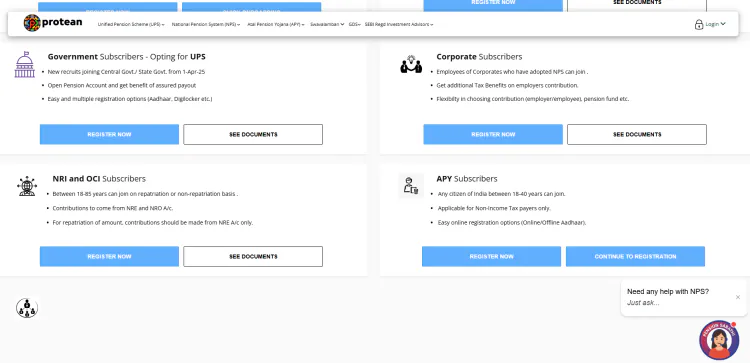
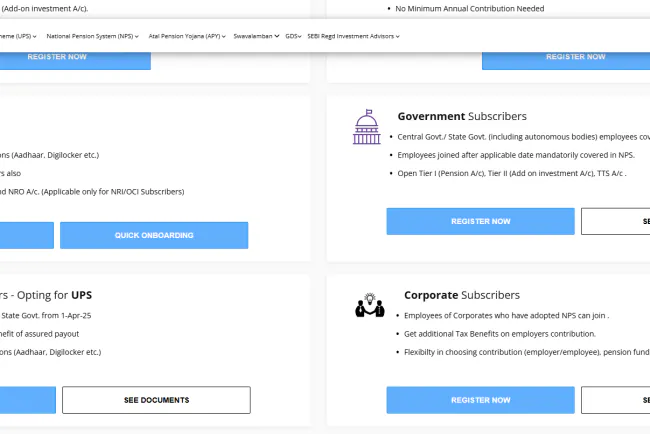
Corporate NPS mein registration company-driven hoti hai - aap seedha apply nahi kar sakte. Process kuch aise flow hota hai:
Step 1: Company Ki NPS Policy Check Karein
Pehle apne HR se confirm karein ki kya company NPS Corporate Scheme offer kar rahi hai. Bahut si IT companies, banks aur MNCs apne employees ke liye employer-matched NPS provide karti hain (mostly senior leadership ke liye). Kuch companies sabhi employees ke liye mandatory NPS rakhti hain (jaise kuch financial services companies). Policy doc mein typically hota hai: employee contribution match limit, employer contribution %, choice of Active vs Auto Choice.
⚠️ Important: Corporate NPS generally voluntary hota hai (jameen par employer ki policy par depend karta hai) - unlike govt employees jahan Tier I mandatory hota hai. Employer aapse likhawa NPS enrollment form ke saath signup invitation bhejega.
Step 2: Enrollment Form aur Documents Submit Karein
Company HR se NPS Corporate Employee Enrollment Form le. Form mein details: full name (as per PAN), father's name, DOB, Aadhaar, PAN, marital status, nominee details (share % ke saath), bank account (salary account), email, mobile number. Saath hi 2 passport size photos aur Aadhaar/PAN photocopy attach karein. Form sign karke HR/Corporate Office ko submit karein.
Step 3: Company Corporate Office Verification aur PRAN Application
HR/Corporate Office aapka form verify karti hai aur Protean eNPS (CRA) ke through PRAN application submit karti hai. Protean aapka 12-digit PRAN (Permanent Retirement Account Number) generate karta hai. PRAN life-long hota hai - company badalne par bhi same rehta hai. PRAN card Protean se company ke through aapko milta hai (post/email/digital). Subscriber ID company-internal hota hai (har company apni numbering rakhti hai).
Step 4: Pension Fund Manager aur Investment Choice Select Karein
Corporate NPS mein employee ko PFM aur investment choice select karne ka adhikar hai (unlike govt employees jahan default Standard Scheme). Aap 8 PFM mein se koi choose kar sakte hain: SBI PFM, LIC PFM, UTI Retirement Solutions, HDFC PFM, ICICI Pru PFM, Kotak Mahindra PFM, Aditya Birla Sunlife PFM, Tata PFM. Active Choice (Scheme E up to 75% equity, C, G, A) ya Auto Choice / Life Cycle Fund (LC-75, LC-50, LC-25, BLC) - dono mein se koi bhi choose kare. Default agar koi choice na de toh Auto Choice LC-75 apply hota hai.
💡 Helper: Agar koi choice nahi select karte hain toh Auto Choice LC-75 (75% equity exposure) default apply hota hai - jo young professionals ke liye suitable hai. Later financial year mein change kar sakte hain.
Step 5: Salary Se Monthly Contribution Deduction
Har month aapki salary se contribution auto-debit hota hai. Example: Agar aapka basic+DA ₹1,00,000/month hai aur aapne 10% employee contribution opt kiya hai - toh ₹10,000 aapki salary se cut hoga aur PRAN mein jayega. Saath hi agar company employer matched 14% deti hai toh additional ₹14,000 company contribute karegi. Total monthly corpus mein ₹24,000 credit hoga (new regime). Yeh sab payroll system ke through PRAN mein transfer hota hai.
Total monthly contribution breakdown:
- New Tax Regime: Employee 10% + Employer 14% = 24% of (Basic + DA)
- Old Tax Regime: Employee 10% + Employer 10% = 20% of (Basic + DA)
- Employee 80CCD(1B) ke through extra ₹50,000 voluntary bhi kar sakte hain
Step 6: PRAN Account Online Monitor Karein
PRAN active hone ke baad cra.nps-proteantech.in par login karke aap quarterly Statement of Account (SoA) check kar sakte hain. Holding statement mein employee contribution, employer contribution, NAV, units allocated, total corpus sab dikhai deta hai. Annual Tax Statement bhi available hota hai jo ITR filing mein kaam aata hai (80CCD(1) aur 80CCD(2) ke liye). Mobile app eNPS se bhi access hota hai.
⚡ Direct Official Links For NPS Corporate Employees
🔒 Official Source Verification: Sabhi niche diye gaye links direct Government of India ke official portal se hain - Protean eGovernance (official CRA), PFRDA (regulator) aur Income Tax Department. JobGati par koi bhi fake ya third-party link nahi hota.
| Service Name | Direct Official Link |
|---|---|
| eNPS Registration (All Citizen) | Click Here for eNPS |
| PFRDA Official Site | Click Here for PFRDA |
| Protean CRA Portal (Subscriber Login) | Click Here for Protean CRA |
| NPS Trust (Subscribers) | Click Here for NPS Trust |
| Ministry of Finance - NPS Info | Click Here for Min. of Finance |
| Income Tax e-Filing Portal (80CCD claim) | Click Here for Income Tax |
| NPS Helpline (Toll Free) | 1800-266-5567 (Protean Helpline) |
💡 JobGati Pro Tip & Recommended Tools
Corporate employees ke liye sabse bada advantage ye hai ki NPS employer contribution (80CCD(2)) Section 80C ke ₹1.5 lakh cap se upar exempt hota hai. Matlab EPF + NPS dono milke total ₹5-6 lakh ka tax-free investment ho sakta hai (₹1.5L 80C + ₹50K 80CCD(1B) + employer 80CCD(2) full exempt). Retirement par ye corpus EEE (Exempt-Exempt-Exempt) rehta hai - matlab invest karne par deduction, grow karne par no tax, withdraw karne par (60% corpus tak) no tax. JobGati ka Income Tax Calculator (Old vs New Regime) use karke check karein ki aapke liye EPF + NPS combo ya sirf EPF better tax saving deta hai. Different salary slabs ke liye optimal contribution mix calculate karein.
Recommended Tool: Income Tax Calculator (Old vs New Regime) - apni salary aur planned NPS contribution daalkar dekhein kaunsa tax regime aapke liye profitable hai, aur NPS vs EPF mein kahan invest karna better hai (free, Hinglish UI).
Related Article: NPS Government Employees Registration Guide - govt sector mein mandatory NPS ka full process aur DDO workflow. NPS NRI / OCI Registration Guide - agar aap overseas job join karein toh NPS account continue karne ya NRI registration ke rules.
For Corporate Employees (NPS vs EPF Decision)
Salary Range ₹5-12 LPA: Agar company NPS match karta hai, toh **dono combine karein** - NPS equity exposure (Scheme E 75% tak) se long-term higher returns mil sakti hain, EPF se safety.
For Retirement Planning
Income Tax Calculator: Income Tax Calculator (Old vs New Regime) - EPF + NPS combo versus sirf EPF, aapki salary slab ke hisaab se optimal tax regime decide karein.
❓ Frequently Asked Questions (FAQs)
Q1. Kya private sector mein har company NPS scheme provide karti hai?
Ans: Nahi, NPS Corporate Scheme voluntary hai employer ke liye. Har company apni social security policy decide karti hai - kuch IT companies, MNCs, banks, financial services firms offer karti hain, kuch sirf EPF/Gratuity deti hain. Employer PFRDA ke through register karke scheme launch karta hai. Employee ke liye bhi generally opt-in hi hota hai (kuch firms mein mandatory bhi hota hai).
Q2. Corporate NPS employer contribution kitna hota hai?
Ans: Under Section 80CCD(2), employer up to 14% of Basic+DA (New Tax Regime) ya 10% (Old Tax Regime) contribute kar sakta hai. Ye 80C ke ₹1.5 lakh cap se upar exempt hota hai. Employee khud bhi 80CCD(1) ke under 10% of basic contribute kar sakta hai aur 80CCD(1B) ke under extra ₹50,000 voluntary contribution karke tax saving badha sakta hai.
Q3. Corporate NPS withdraw karne ke rules kya hain?
Ans: 60 saal par 60% corpus tax-free lump sum + 40% se annuity (monthly pension) kharidna mandatory. Corpus <₹5 lakh par full lump sum possible (40% portion taxable). Job change par PRAN continue rehta hai (same PFM ya new PFM mein transfer). 60 se pehle partial withdrawal (3 saal ke baad) specific reasons mein allowed: higher education, medical emergency, home purchase, marriage (max 25%, max 3 baar).
Q4. Corporate NPS better hai ya EPF?
Ans: Dono ke tax treatment alag hai. EPF: employee 12% of basic (Sec 80C cap mein), employer 12% (exempt-exempt-taxed). NPS: employer up to 14% (Sec 80CCD(2) ke under, 80C cap se upar exempt), extra ₹50K 80CCD(1B). NPS equity exposure se higher long-term returns de sakta hai, EPF guaranteed fixed return (8.25%) deta hai. Optimal strategy: dono combine karein - EPF base safety ke liye + NPS equity boost ke liye.
Q5. Kya corporate employee ka PRAN change hota hai job change par?
Ans: Nahi, PRAN life-long fixed rehta hai. Job change par same PRAN use hoga - bas PFM aur investment choice update hota hai. New employer ke under new employer contribution shuru hoga. Old employer ke PRAN mein jo corpus hai wo continue rehta hai aur next employer ke contribution add hota jaata hai.
🔔 Sarkari Yojana aur Exam Updates Sabse Pehle Paayein: Har nayi update ke liye JobGati.com ko Bookmark (Ctrl+D) zaroor karein!
⚠️ Important Disclaimer: JobGati ek swatantrta shiksha aur sochna portal hai. JobGati ka kisi bhi sarkari sanstha ya vibhag se koi sidha sambandh nahi hai. Hum keval aam nagrikon aur students ki suvidha ke liye verified jankari aur official links provide karte hain. NPS contribution rules, employer limits, aur DDO process publish karne se pehle PFRDA / Protean eNPS / concerned department official portal se confirm karein — kyunki govt policies frequently update hoti hain.
What's Your Reaction?

Comments