Aadhaar Biometric Lock/Unlock Online: Fingerprint, Iris & Face Safety Guide
Aadhaar biometric lock/unlock ka official guide: fingerprint, iris aur face authentication ko lock/unlock karne ka purpose, requirements aur safety steps.
Last Updated: 07 October 2026
Aadhaar Biometric Lock/Unlock Online: Fingerprint, Iris & Face Safety Guide: Complete Guide
UIDAI ke official online-services information ke according biometric locking facility Aadhaar holder ko fingerprint, iris aur face biometric authentication ko lock karne ka option deti hai. Registered mobile number required hai; unlock temporarily kiya ja sakta hai ya locking system disable kiya ja sakta hai.
📌 Quick Overview
| Authority | Unique Identification Authority of India (UIDAI) |
| Biometrics covered | Fingerprint, Iris and Face |
| Mobile requirement | Registered mobile number essential |
| Unlock options | Temporary unlock or disable locking system |
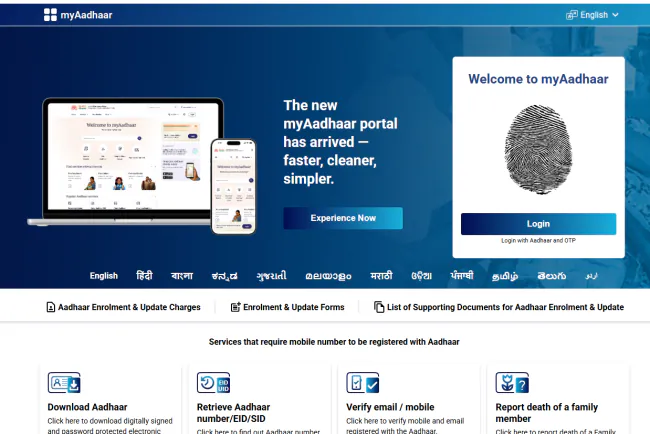
| Official portal | UIDAI / My Aadhaar |
Biometric Lock Kya Karta Hai?
Biometric lock ke baad fingerprint, iris aur face modalities ke through Aadhaar authentication block hota hai. UIDAI information ke according locked biometric authentication par specific error code 330 indicate ho sakta hai.
Lock Karne Se Pehle Kya Chahiye?
Registered mobile number essential hai. UIDAI ke current service flow ko follow karein aur apne authentication needs ko consider karein, kyunki lock ke baad biometric authentication use nahi ho sakta jab tak unlock/disable na kiya jaye.
Biometric Unlock Kaise Karein?
- UIDAI/My Aadhaar official service open karein.
- Biometric Lock/Unlock option select karein.
- Required authentication complete karein.
- Temporary unlock ya disable-locking option, as available, choose karein.
UID Lock Aur Biometric Lock Mein Difference
Biometric lock sirf biometric authentication modalities ko restrict karta hai. Aadhaar UID lock ek broader authentication restriction hai. Dono services ko ek hi cheez na samjhein.
Safety Tips
- Only official UIDAI portal/app use karein.
- OTP share na karein.
- VID ko secure rakhein.
- Lock status ko important authentication se pehle check karein.
🔗 JobGati Related Guides
Is topic ko samajhne ke liye JobGati par Aadhaar Update Status; Aadhaar Mobile/Email Verification jaise relevant guides bhi available hain. In links ko sirf context ke liye use karein; final rule/date/fee ke liye official source ko priority dein.
❓ Frequently Asked Questions
Biometric lock mein kaunse biometrics cover hote hain?
Fingerprint, iris and face biometric modalities.
Kya registered mobile required hai?
UIDAI says a registered mobile number is essential for this service.
Biometric lock ke baad authentication ho sakta hai?
Locked biometric modalities se authentication nahi ho sakta until unlocked/locking disabled.
🔗 Direct Official Source
https://uidai.gov.in/en/aadhaar-online-services/aadhaar-lock-unlock.html
✅ Final Takeaway
Aadhaar biometric lock privacy and authentication control ke liye useful security feature hai, lekin important authentication se pehle lock status aur official UIDAI instructions check karein.
Disclaimer: UIDAI services and authentication methods can change. Current My Aadhaar/UIDAI instructions ko final reference banayein.
📌 Current Information Kaise Maintain Karein?
Rules, dates, fees, charges, rates, vacancies aur service procedures change ho sakte hain. Article ko update karte waqt latest official notification/order/service page ko primary reference banayein. Old screenshots, social-media posts aur third-party summaries ko final authority na maanein.
What's Your Reaction?












Comments